
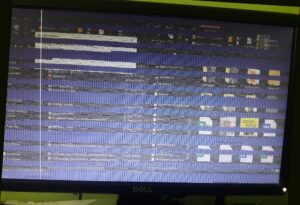
Monitor Scrambled Screening
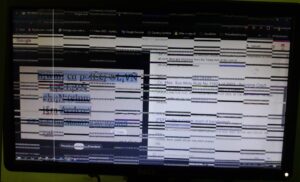
The easiest only two steps can solve the problem, the way to solve this Monitor Scrambled screening problem is to, follow the steps below:
1. Remove all RAM from the Mainboard or Motherboard,
2. Make sure one of the RAM is OK if not sure please collect from your friend’s group or neighborhood,
3. Use the Good RAM to check the Motherboard,
Checking Process 1: Use only one good RAM in one RAM Slote in the Motherboard
CP 2: if the monitor does not show anything release the good ram and place another RAM Slot.
N. B. Make sure the Mainboard has a Bipper or Buzzer to hear sound.
After this process you will find your one of the RAM is damaged or one of a RAM slote is damaged. Be careful with the operation discussed above.
The operations I apply on my PC are below (not for follow just read)
I do this with my PC several times (not recommended): when I find my Dell Monitor Scrambled screening problem take a photo and make it search on Google. The Google search result suggests I clean the RAM. Some video maker are showing their magic! I clean and check all the components of System Unite. The RAM, motherboard, and Power supply are okay. But when I tested the Processor on another motherboard, the PC did not run. After cleaning with isopropyl alcohol and drying my PC run, the Monitor Scrambles screening problem was found again! After that, I decided to update my windows and all drivers.
I update all drivers and windows. During the duration of updating my windows and drivers the monitor sometimes scrambled. After 2 days (due to the slow speed of my internet connection) when I complete my update full PC with Drivers the PC does not run again!
The main problems for the Monitor Scrambled Screening are 1. Damaged a RAM or 2. Damaged a RAM Slot.
for that, you need to check which ram or ram slote is DAmaged. In this operation I found my one RAM Slot and one of a RAM Damaged. So I am now using One RAM in one RAM slot.
Thank you for your time.